If your customers live on Snapchat, your store should meet them there. Starting today, Strawlo connects your store to Snapchat in three ways, from one-tap sharing to fully automated product ads.
Here is what's new, what each piece does for you, and which plan you need.
1. A Share on Snapchat Button on Every Product Page
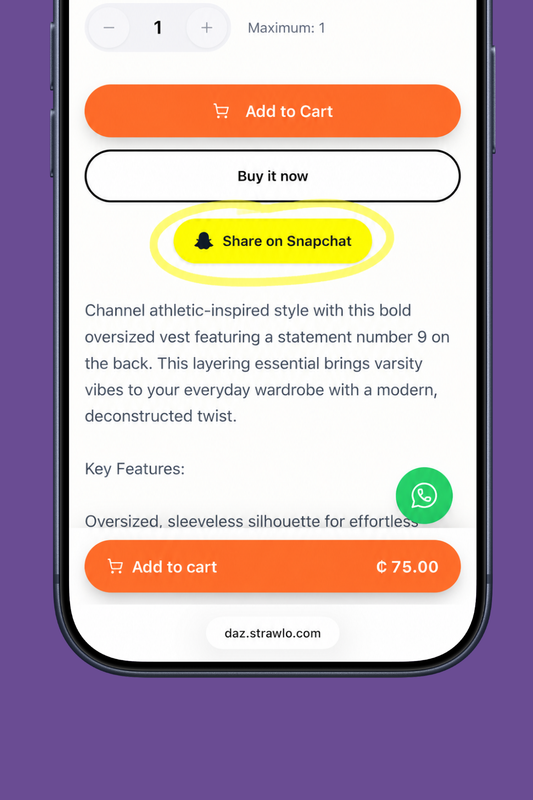
Available on Business+. On by default.
Every product page on your storefront now has a Share on Snapchat button. When a shopper taps it, the product opens in Snapchat with a link attached, they can snap it to friends or post it to their Story, and anyone who sees it can swipe straight back to that product on your store.
Think about what that means: every happy customer becomes a little billboard. Someone shares the dress they just ordered, three friends see it, one of them buys. You did nothing, and it cost you nothing.
You stay in control. If the button doesn't fit your brand, switch it off in Customize store → About → Social links, under your social links, on the web dashboard or in the Strawlo app. It takes effect immediately.
2. Snap Ads That Actually Know When You Make a Sale
Available on Business+.
If you run Snapchat ads, you may already use the Snap Pixel in Visitors & Tracking to measure what shoppers do on your store. The problem is that modern phones, especially iPhones, often block browser pixels. Sales happen, but Snapchat never hears about them. Your ads look like they're failing when they're working, and Snapchat can't learn who your real buyers are.
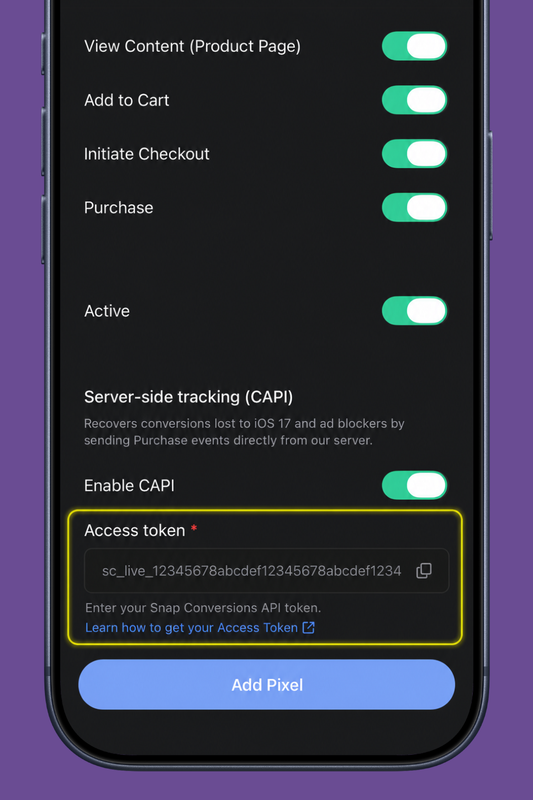
Strawlo now supports Snapchat's Conversions API alongside the pixel. When someone completes a purchase, our servers report it to Snapchat directly, no browser involved, nothing for ad blockers to block.
The result: your reported return on ad spend gets accurate, and Snapchat's targeting gets sharper, because it finally sees which clicks turn into sales.
Setting it up takes two minutes: generate a Conversions API token in your Snapchat Ads Manager, then paste it into your Snap pixel's settings in Visitors & Tracking. The full walkthrough is in our help center.
3. Your Whole Catalog Inside Snapchat, Synced Automatically
Available on Business+.
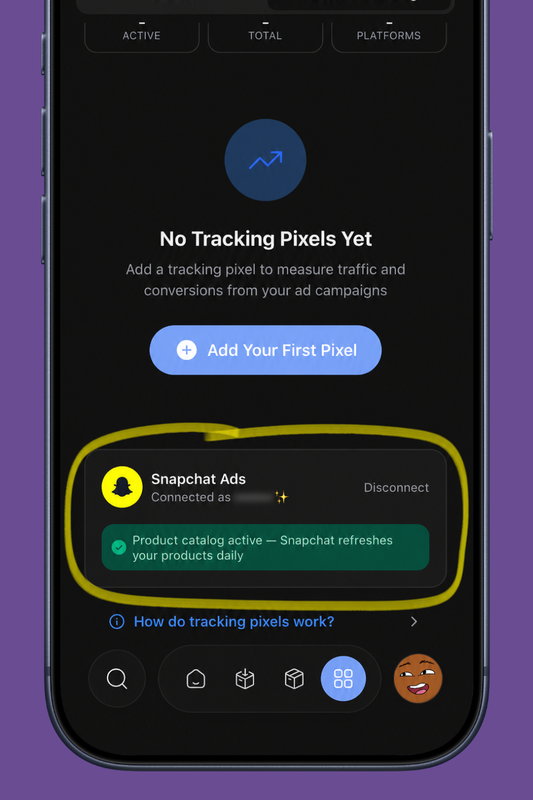
This is the big one. You can now connect your Snapchat Ads account to Strawlo and turn on a product catalog, a live copy of your store's products inside Snapchat, with photos, prices, stock status, and links back to your storefront.
Once connected, Snapchat refreshes your catalog from Strawlo every day. Add a product, change a price, sell out of something, Snapchat picks it up automatically. You never upload a spreadsheet or update an ad by hand.
What can you do with a catalog? Dynamic Ads. Instead of designing one ad for one product, Snapchat builds ads from your products automatically and shows each person the items they're most likely to want. Pair it with your Snap Pixel and you unlock retargeting, the shopper who viewed a product but didn't buy sees that exact product again in their Snapchat, one swipe away from checkout.
Connecting takes three taps: go to Visitors & Tracking, find the Snapchat Ads card, hit Connect, sign in with your Snapchat Business account, and enable the catalog. It works the same on the web dashboard and in the Strawlo app.
Which Plan Do I Need?
| Feature | Business | Business+ |
|---|---|---|
| Share on Snapchat button | — | Included |
| Snap Pixel and Visitors & Tracking | — | Included |
| Conversions API (server-side purchase tracking) | — | Included |
| Snapchat Ads connection and product catalog | — | Included |
All three features are part of Business+, alongside the rest of the Visitors & Tracking suite — one plan unlocks the whole Snapchat stack, from sharing to fully automated ads.
Where to Start
If you're new to Snapchat as a sales channel, don't start with ads. Start with sharing: make sure the share button is on, put your store link in your Snapchat profile, and post your products to your own Story with the link attached.
When you're ready to spend on ads, do it in this order: add your Snap Pixel, turn on the Conversions API so Snapchat sees your sales, then connect your catalog and let Dynamic Ads do the heavy lifting.
Your customers are already on Snapchat. Now your store is too.
Get weekly business tips
Join 1,000+ entrepreneurs growing their online businesses.
No spam, ever. Unsubscribe anytime.
Related articles

Adding Products Just Got Faster: Snap a Photo, Let AI Fill It In, Done
WhatsApp Broadcast: Message Every Customer You've Ever Sold To