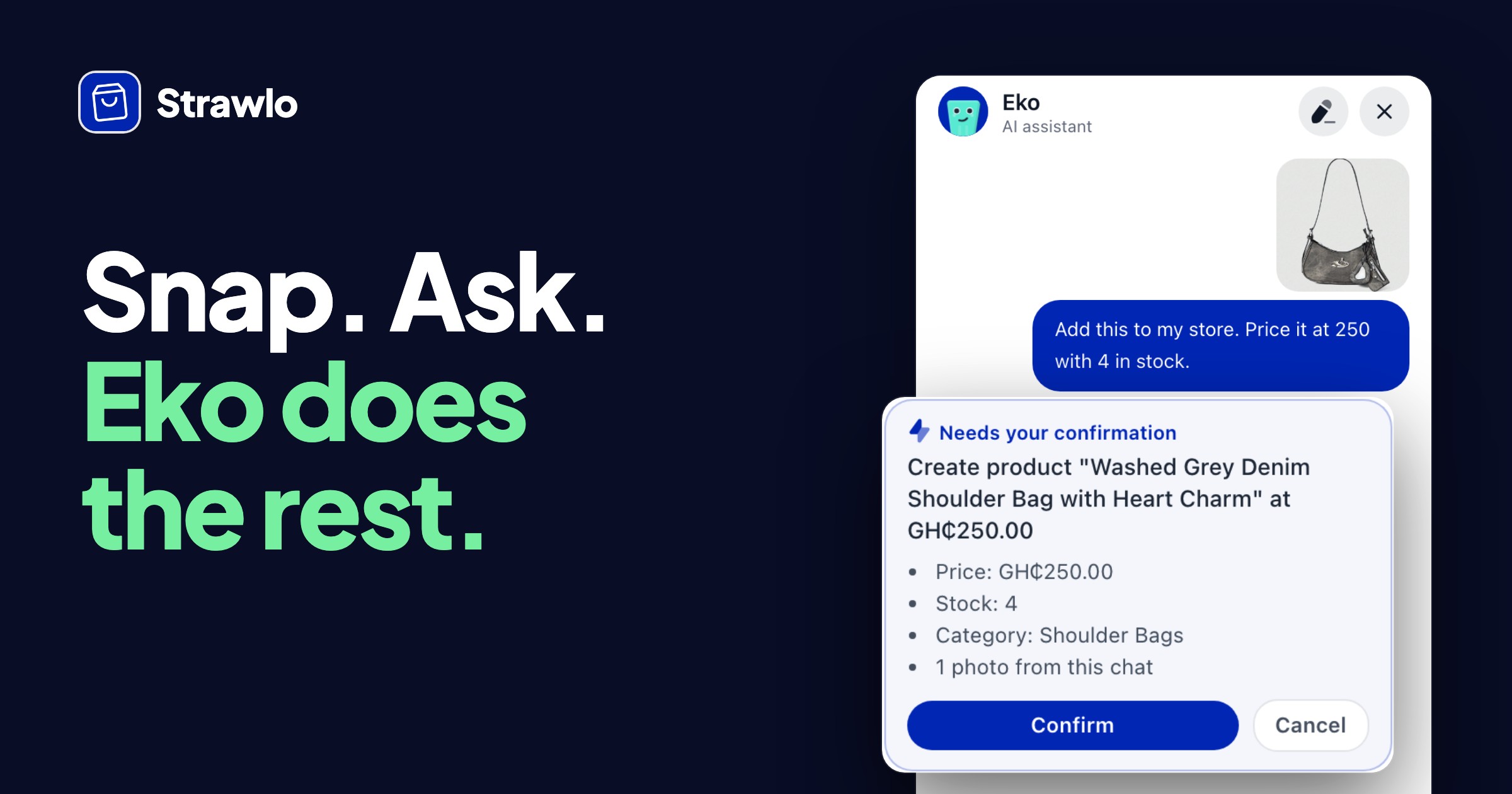
A shopper finds your store late at night. They have a quick question, like "Do you have this in red?" or "How much is delivery to Kumasi?" You're asleep, nobody answers, and they leave.
Not anymore. Your store now has an AI shopping assistant. It answers shoppers straight away, shows them the right products and gets their order ready to pay. Any time of day, even when you're busy or asleep.
Here's how it works, with real examples from a test store.
Shoppers tap "Ask"
Your store now has a small Ask button in the bottom left corner, with your logo on it. Shoppers tap it to start a chat.
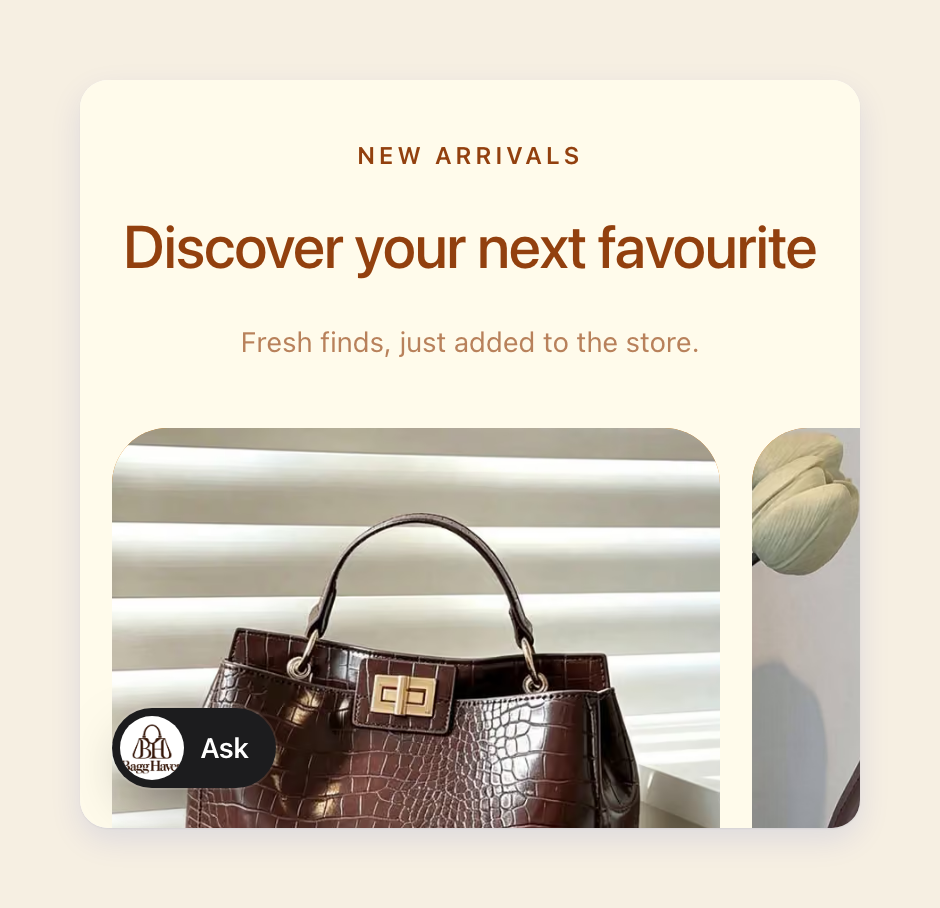
The chat uses your store's logo and colours, and it speaks for your store: "We offer free delivery within Accra." To shoppers, it feels like chatting with you.
They ask in their own words
Shoppers type the way they'd text you. The assistant looks through your products and shows the best matches, with photos, prices and whether they're in stock.
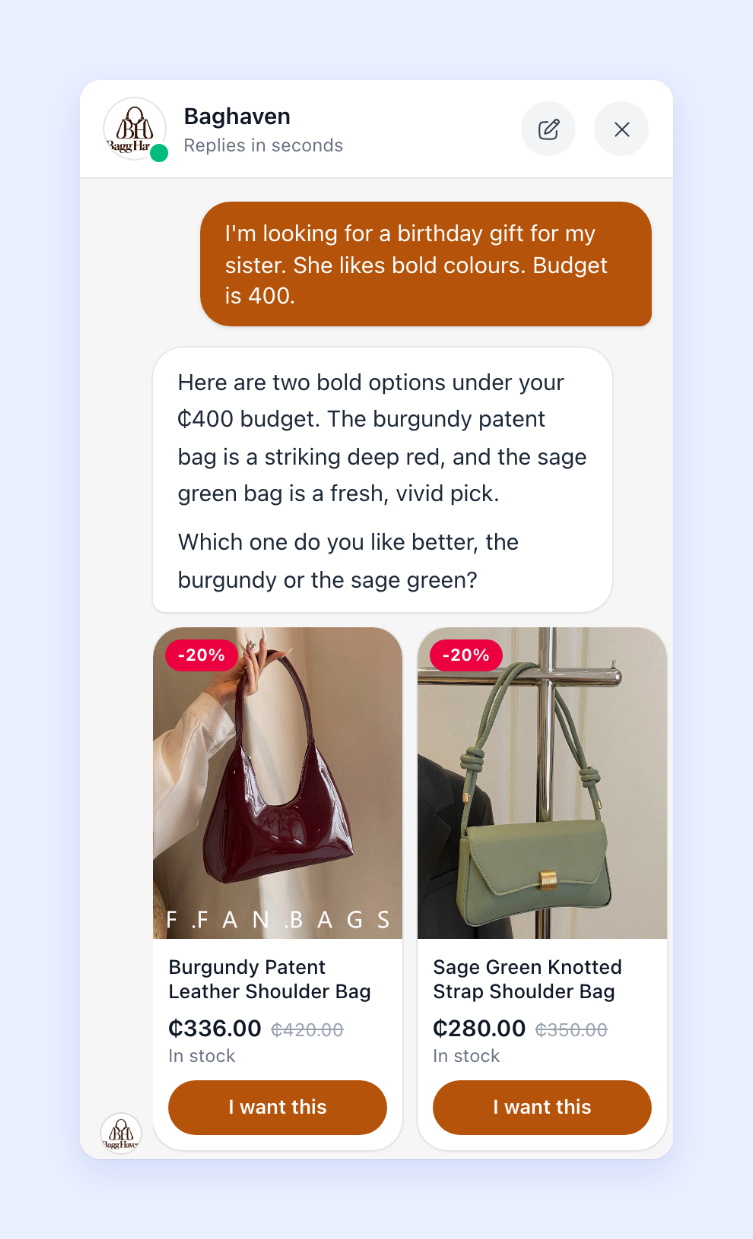
It knows which product the shopper is looking at, so "Does this come in black?" just works. Shoppers can also ask things like:
- "Do you have any shoulder bags under 300 cedis?"
- "How much is delivery to East Legon?"
- "Where is my order?" (they give their order number and the phone or email they ordered with)
"I want this" gets the order ready
When a shopper picks something, they tap I want this. The assistant puts the order together and shows a Checkout button.
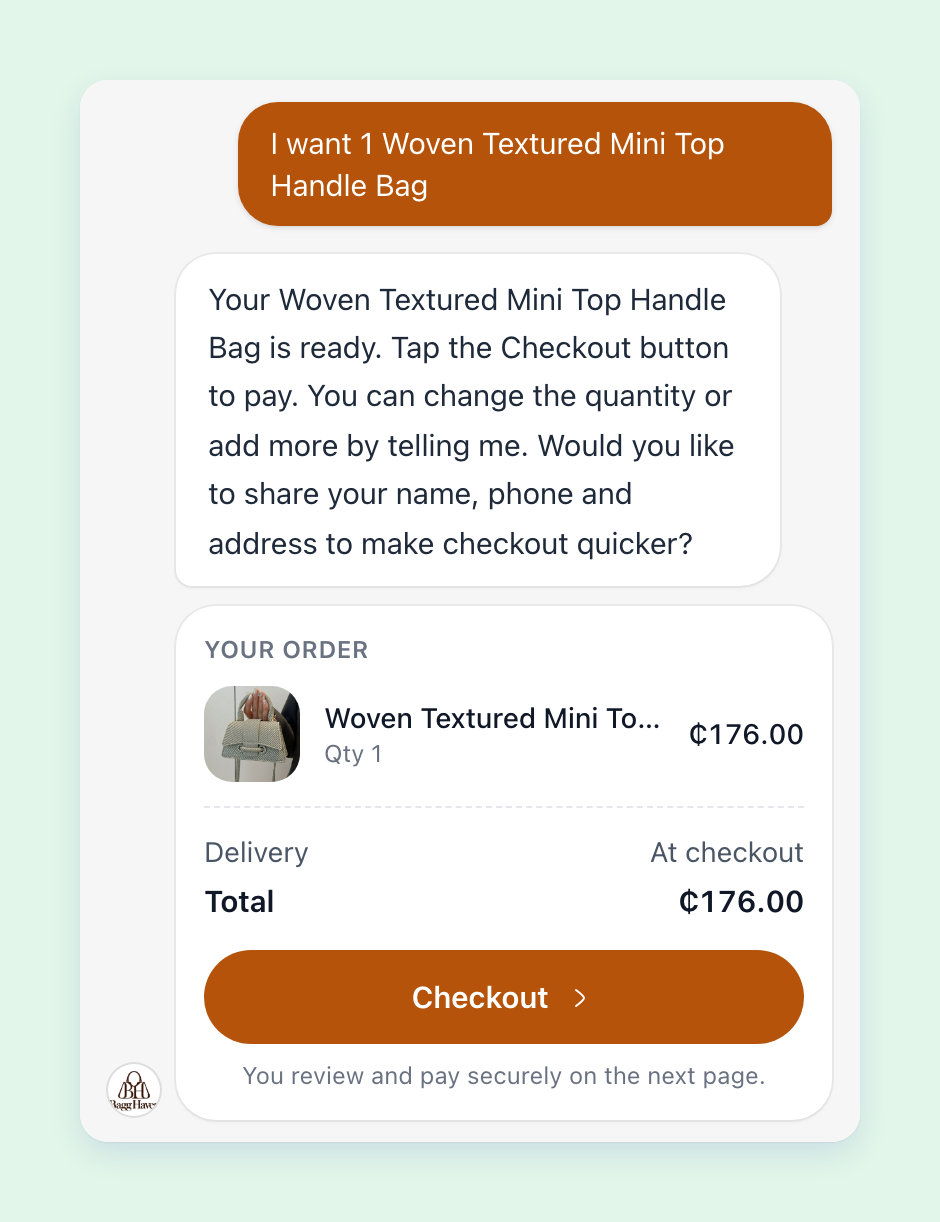
Checkout opens your normal checkout page with their items in the cart. If they shared their name, phone and address in the chat, those are already filled in. They check everything and pay there, the same safe way as always.
The assistant never takes payment itself and can't change your prices. Prices and stock always come from your store.
When it doesn't know, it passes the shopper to you
The assistant won't make things up. If it can't answer, it says so and shows a button to reach you on WhatsApp, by phone or by email, whichever you've added to your store.
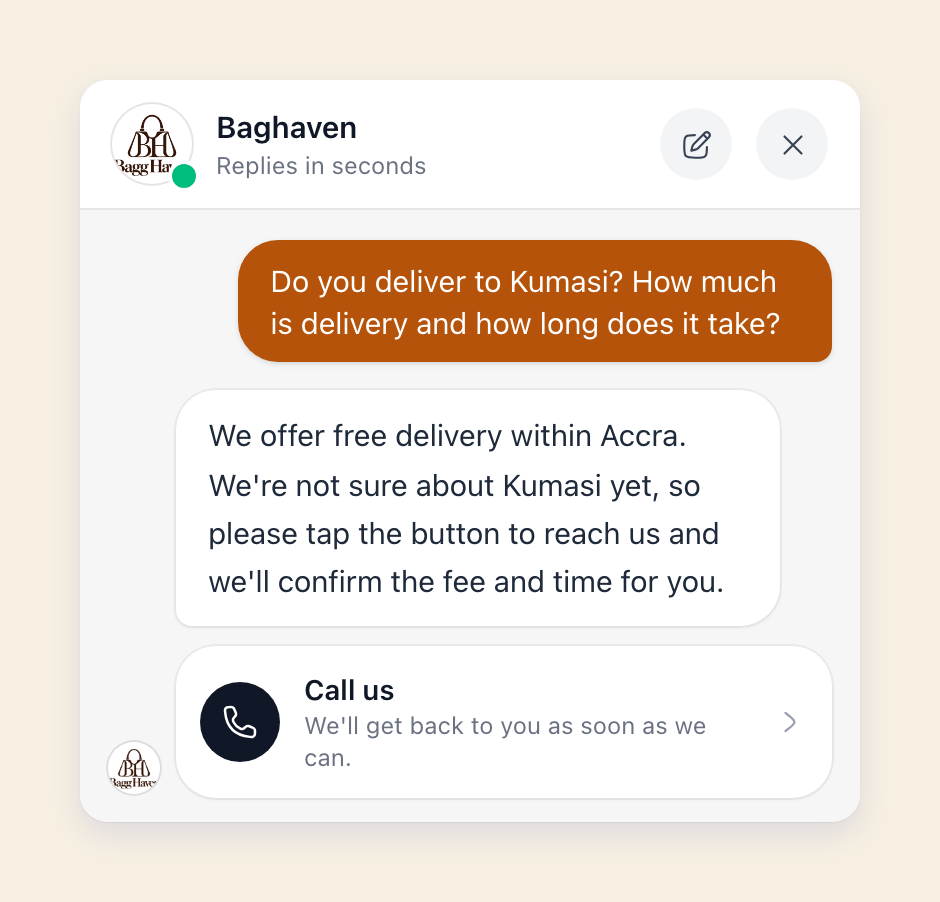
You also get a notification, so you can follow up.
Teach it once
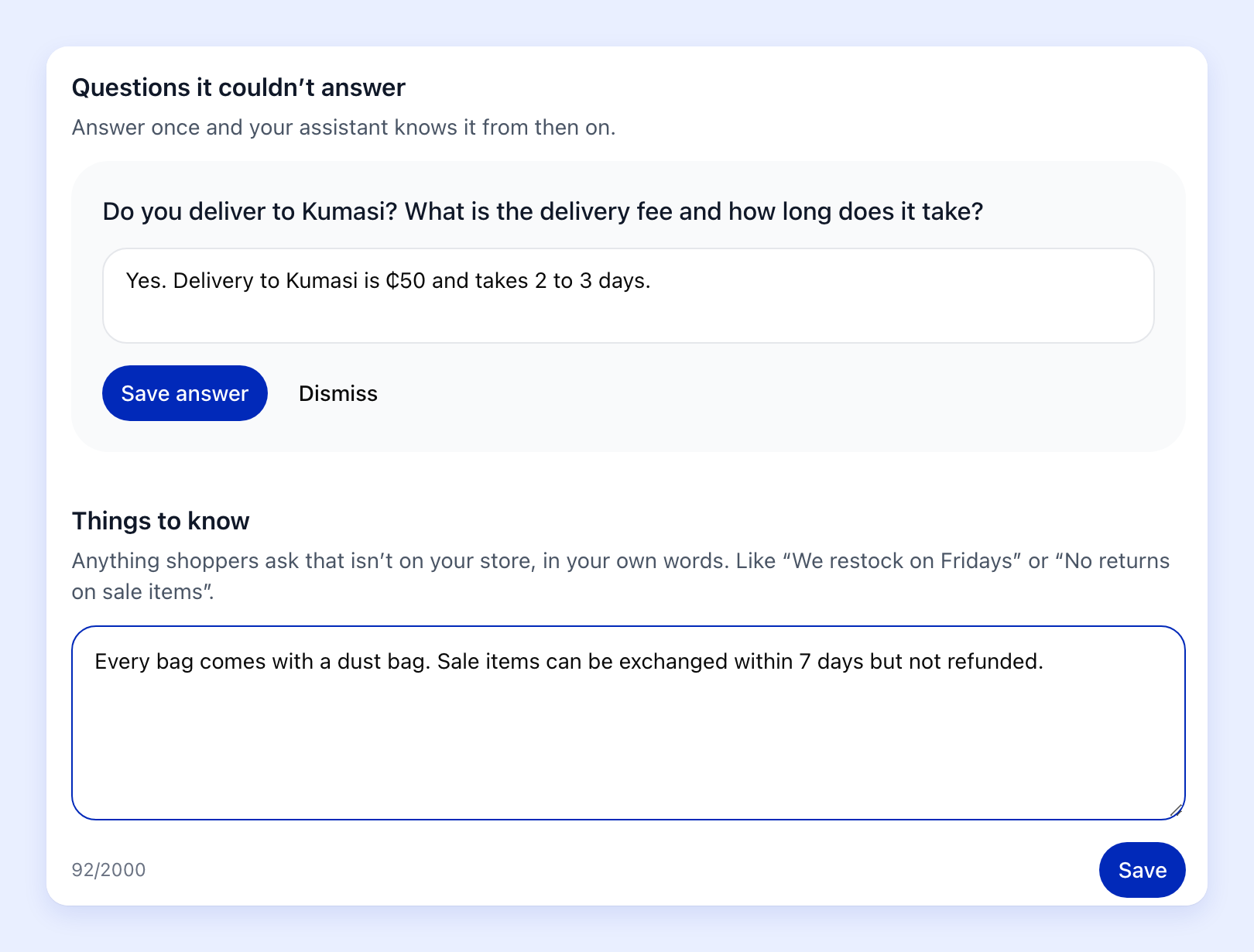
Every question it couldn't answer is saved for you under Questions it couldn't answer. Type the answer once and the assistant knows it from then on.
You can also tell it things up front under Things to know, in your own words. Your opening hours, your exchange rules, or "every bag comes with a dust bag".
See what it did for you
The same page shows the last 7 days: how many shoppers it helped, how many orders it helped with, and how much those orders came to.
If a shopper shares their phone or email in the chat but doesn't pay, their cart shows up under Orders > Abandoned, like any other cart left behind. So you can still follow up and win the sale.
Share it anywhere
Your assistant has its own link: yourstore.strawlo.com/ask. Put it in your WhatsApp away message or your Instagram bio. People who message you late at night can get answers and order straight away.
Which plan do I need?
The shopping assistant comes with Business+. It's already switched on for every Business+ store, so there's nothing to set up.
You'll find it under Store settings > Shopping assistant on the web, and Menu > Shopping assistant in the Strawlo app on iPhone. You can switch it off there at any time.
Try it now
Open your store on your phone, tap Ask and ask it something a customer would. Then add a few lines under Things to know, so it answers the way you would.
Get weekly business tips
Join 1,000+ entrepreneurs growing their online businesses.
No spam, ever. Unsubscribe anytime.