
Eko is the assistant built into Strawlo. You ask it things in plain words, and it answers using your own store's numbers.
Today Eko gets its biggest upgrade yet. It can now look at photos, draw charts, do more jobs for you, and keep working even when you're not around.
Here's what's new, with real examples from a test store.
Send Eko a photo
Tap the + next to the message box and pick Camera or Photos. Send a picture of something you sell and tell Eko what to do with it.
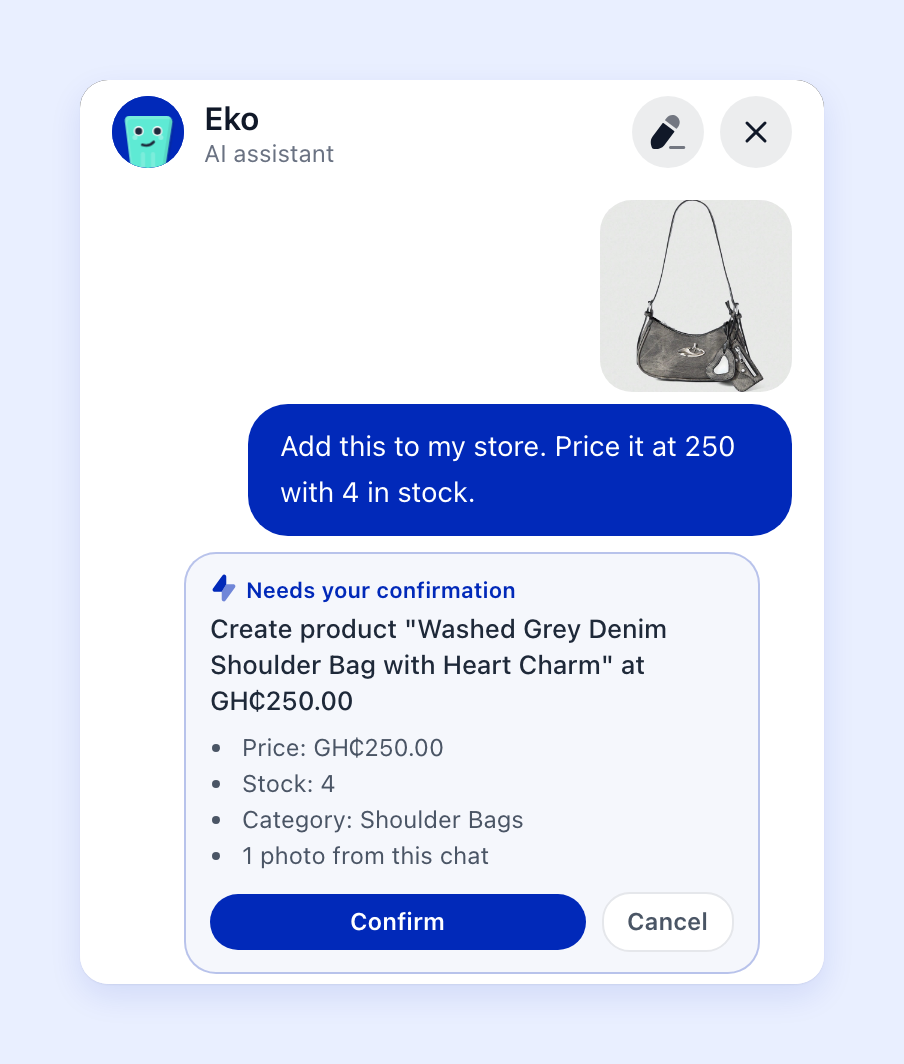
Eko looks at the photo, gives the product a name, writes the description, and fills in your price and stock. Check the card, tap Confirm, and the product is live in your store.
Already have the product? Send a new photo and say "add this to the Croc Tote" to give it another picture.
See your sales as a chart
Ask for a chart and Eko draws one right in the chat.
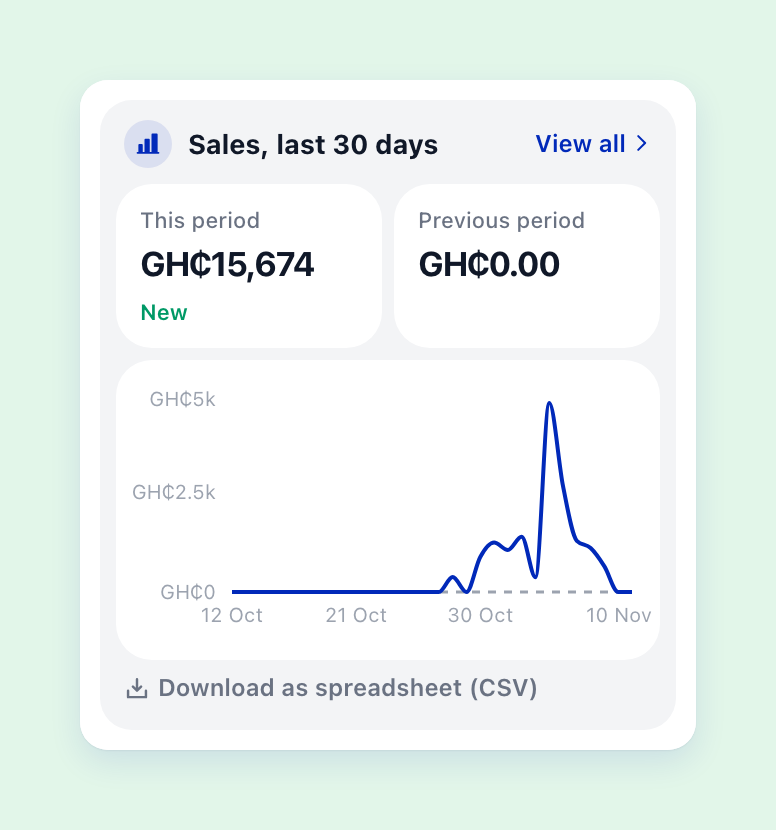
Eko also points out what stands out, like a quiet few days, so you know where to look. On the web, you can download the numbers as a spreadsheet.
Try asking:
- "Show my sales for the last 30 days as a chart"
- "Compare this week with last week"
- "Which products sold the most this month?"
- "Where are my visitors coming from?"
Ask about your money and your customers
Eko can now answer more questions about your store:
- Payouts: "When is my next payout?"
- Restocking: "What should I restock?" Eko looks at how fast each product sells and how many you have left.
- Customers: "Who are my best customers?" or "Who hasn't ordered in a while?"
Let Eko handle the small jobs
Tell Eko what you need and it gets everything ready. You always see a card first. Nothing changes until you tap Confirm, and if you change your mind, most things can be undone with one tap.
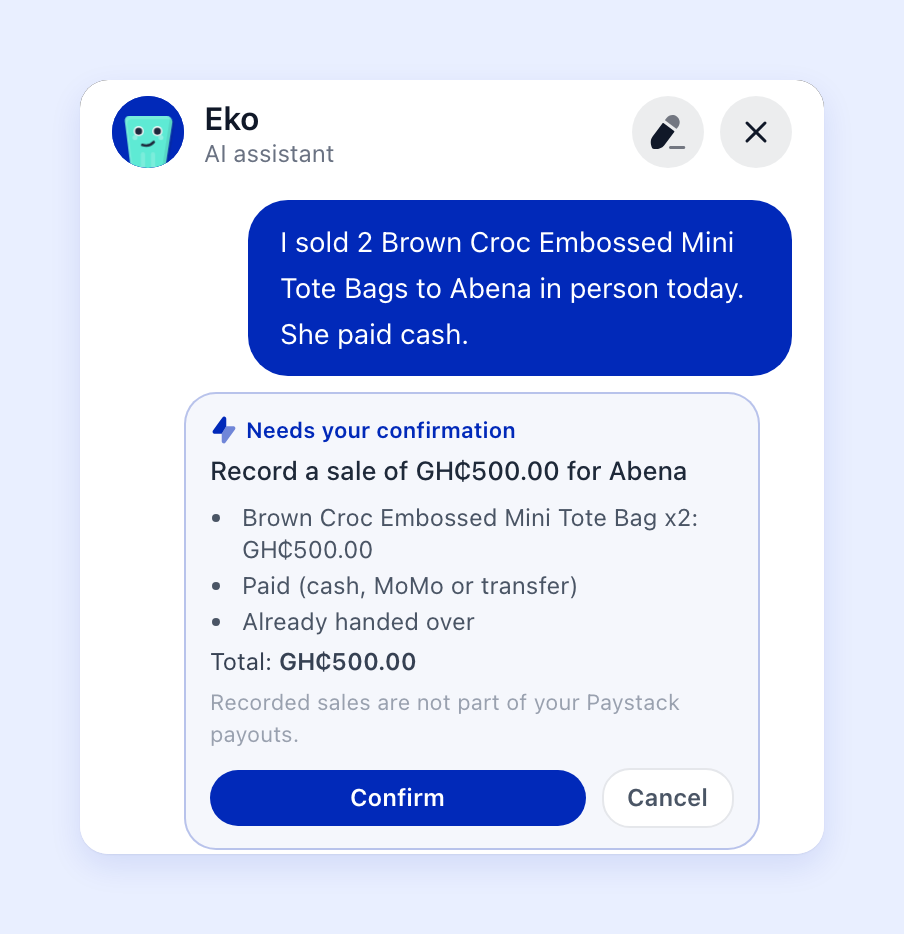
Here's what you can ask Eko to do:
- Record a sale you made in person. "I sold 2 tote bags to Abena today. She paid cash."
- Fix an order. Change a customer's address or phone number, or add and remove items on an order that hasn't been paid yet.
- Write for lots of products at once. New product descriptions, or the titles and descriptions people see on Google.
- Tidy up your store. Create categories and move products into them, change your delivery prices, or update your announcement bar and store details.
- Change a discount code. A new amount, or a new end date.
- Write a WhatsApp broadcast for a group of customers, ready for you to send.
Automations: Eko keeps working while you're busy
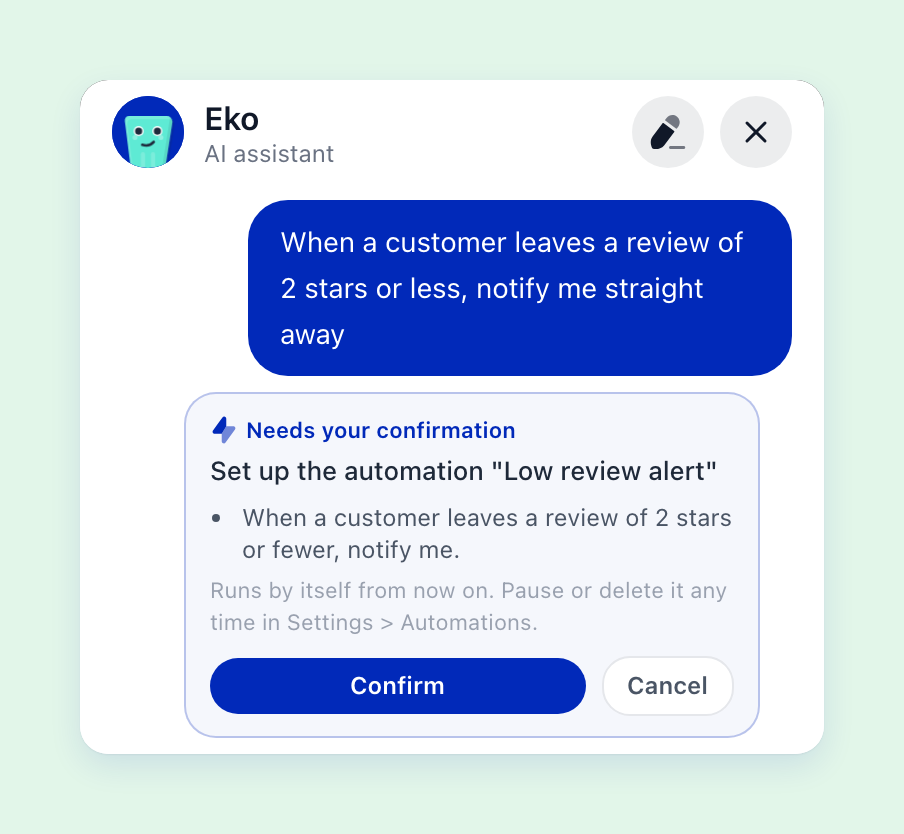
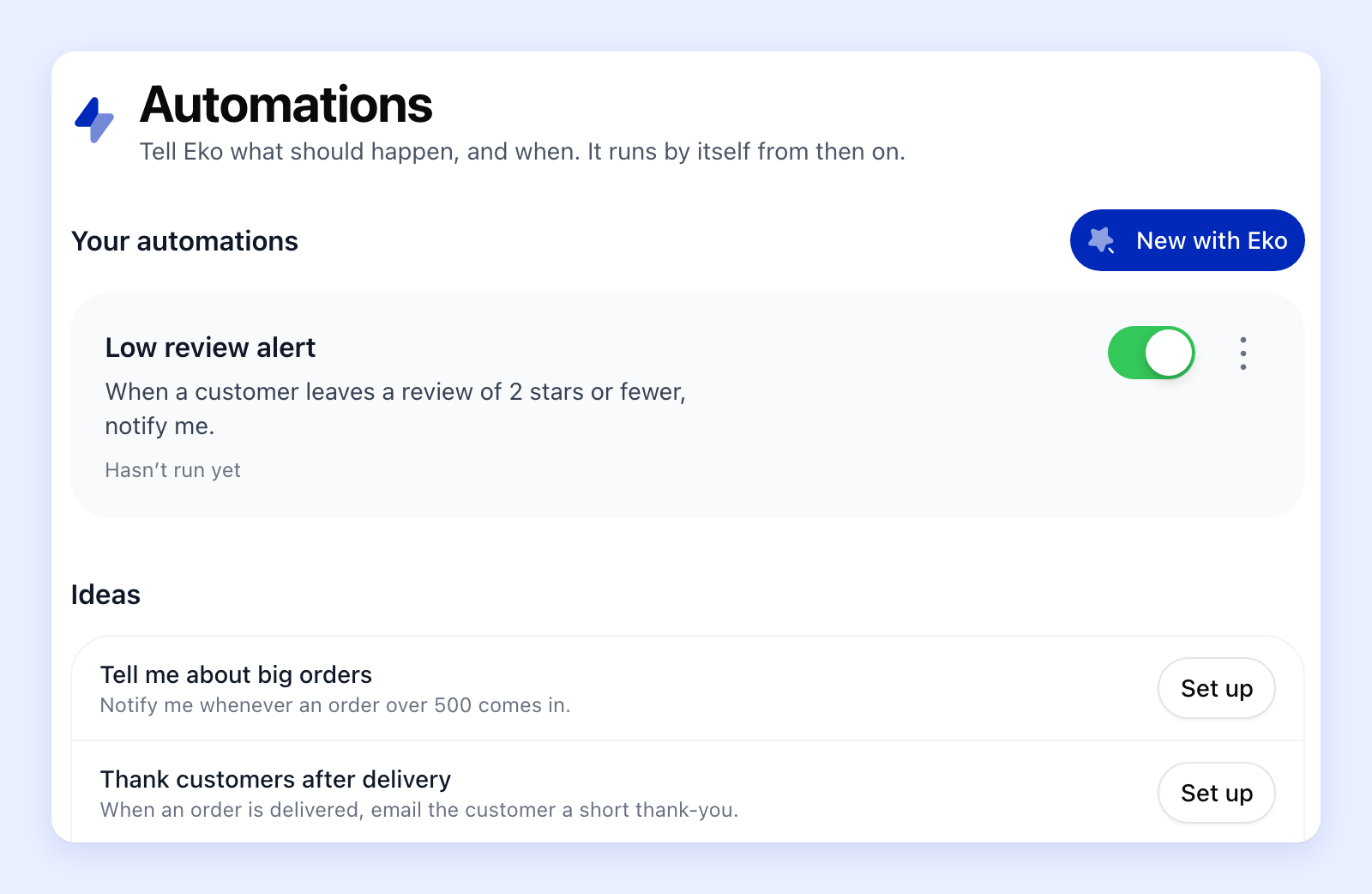
This is the biggest change. An automation is a simple rule: when something happens, Eko does something. You set it up once by telling Eko what you want in your own words. After that, it runs by itself.
Eko can watch for:
- a new order
- an order being delivered
- a product running low or selling out
- a new review
- a cart someone left behind
And when that happens, it can:
- send you a notification
- email the customer, like a thank-you after delivery
- add a note to the order
- hide a product that has sold out
Some ideas to get you started:
- "Tell me whenever an order over 500 comes in."
- "When an order is delivered, email the customer a short thank-you."
- "When a product sells out, hide it from my store and let me know."
- "When someone leaves a review of 2 stars or less, tell me straight away."
You'll find all your automations under Store settings > Automations on the web, and Menu > Automations in the app. Switch any of them off with one tap, or ask Eko to change one.
Emails from automations are sent in your store's name, and when a customer replies, the reply comes straight to you.
Which plan do I need?
On every plan: ask Eko anything about your store, see charts, check your payouts, get restock ideas, find groups of customers, and send Eko photos to talk about.
On Business+: everything above, plus Eko making changes for you (adding products from photos, recording sales, editing orders, writing for many products, broadcasts and more) and automations.
Try it now
Open Eko from your dashboard on the web, or in the Strawlo app on iPhone, and try one of these:
- "Show my sales this month as a chart"
- Send a photo and say "Add this to my store"
- "When an order is delivered, email the customer a thank-you"
Want a clean slate? Tap the pencil button at the top of Eko to start a new chat.
Get weekly business tips
Join 1,000+ entrepreneurs growing their online businesses.
No spam, ever. Unsubscribe anytime.