We've been busy. Over the last few weeks we've shipped a wave of new features — some that win back sales you were quietly losing, some that save you hours of typing, and some that let an AI assistant do the busywork for you.
Here's everything that's new, in plain language, and exactly how each one works.
1. Recover Abandoned Carts — Win Back Sales You Were Losing
Every store loses customers who almost buy. They add items to their cart, start checkout… and then life happens. A baby cries, the network drops, they get distracted. The sale is gone — and until now, you never even knew it happened.
Now you do.
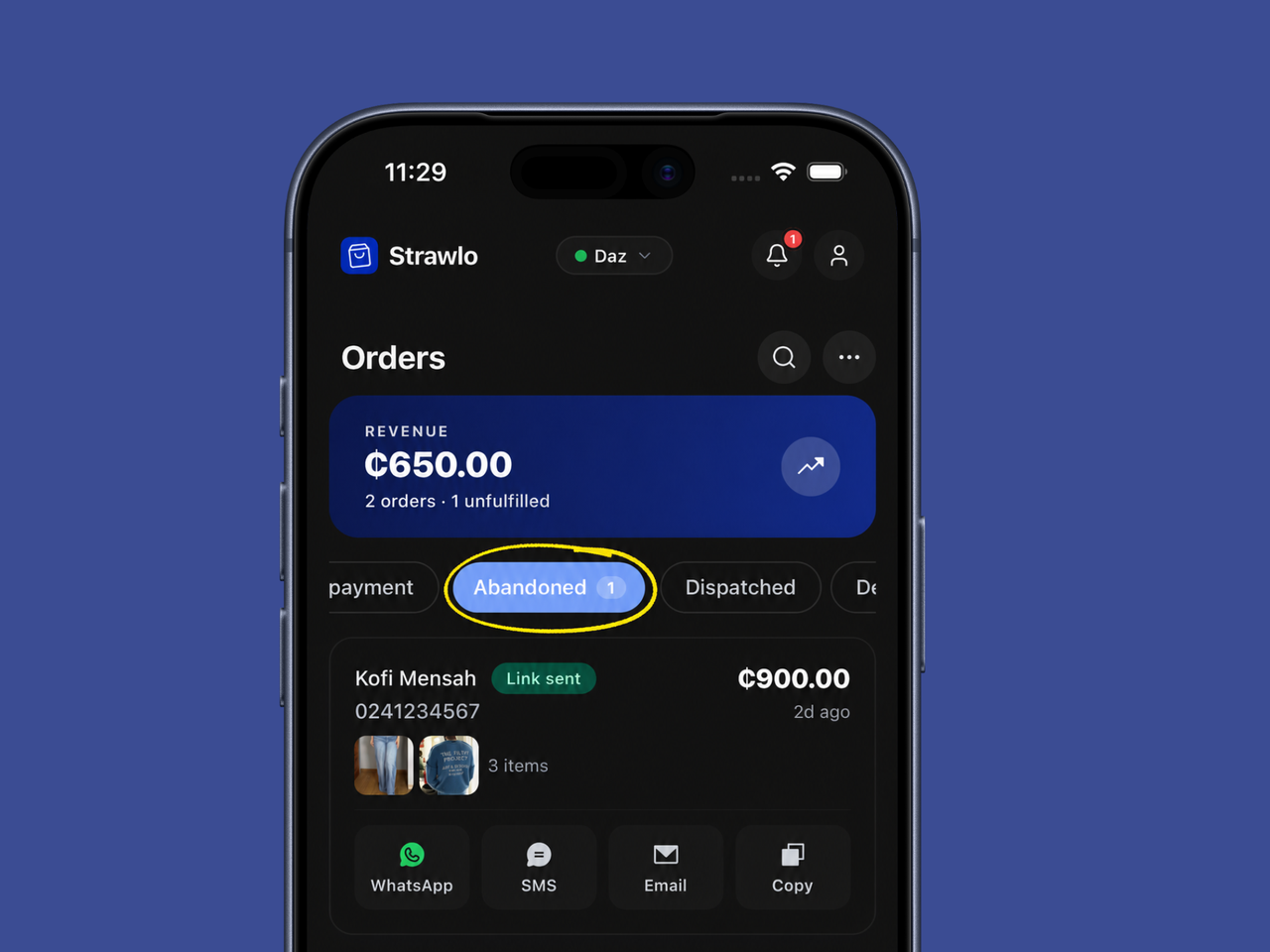
There's a new "Abandoned" tab in your Orders page. It shows you every shopper who started checking out but didn't finish — their name (if you have it), what they were buying, and how much you almost made.
How it works
- A shopper fills their cart and begins checkout but doesn't pay.
- That cart automatically shows up in Orders → Abandoned.
- You tap the cart and get a ready-to-send recovery link — a checkout page with their exact items already loaded.
- Send it straight to them on WhatsApp, SMS, or email, or just copy the link. The message is pre-written for you ("Hi Ama! You left some items in your cart…") so all you do is tap send.
- They click, pay, and the sale lands in your orders like any other.
You have 14 days to recover each cart before it clears out, so there's no rush — but the sooner you reach out, the more likely they are to come back. This is one of the fastest ways to add revenue without finding a single new customer.
Available on all plans.
2. Write Product Descriptions with AI
Writing good product descriptions is hard. Most sellers either leave them blank or write one rushed line. But a clear, appealing description genuinely sells more — and now you don't have to write it yourself.
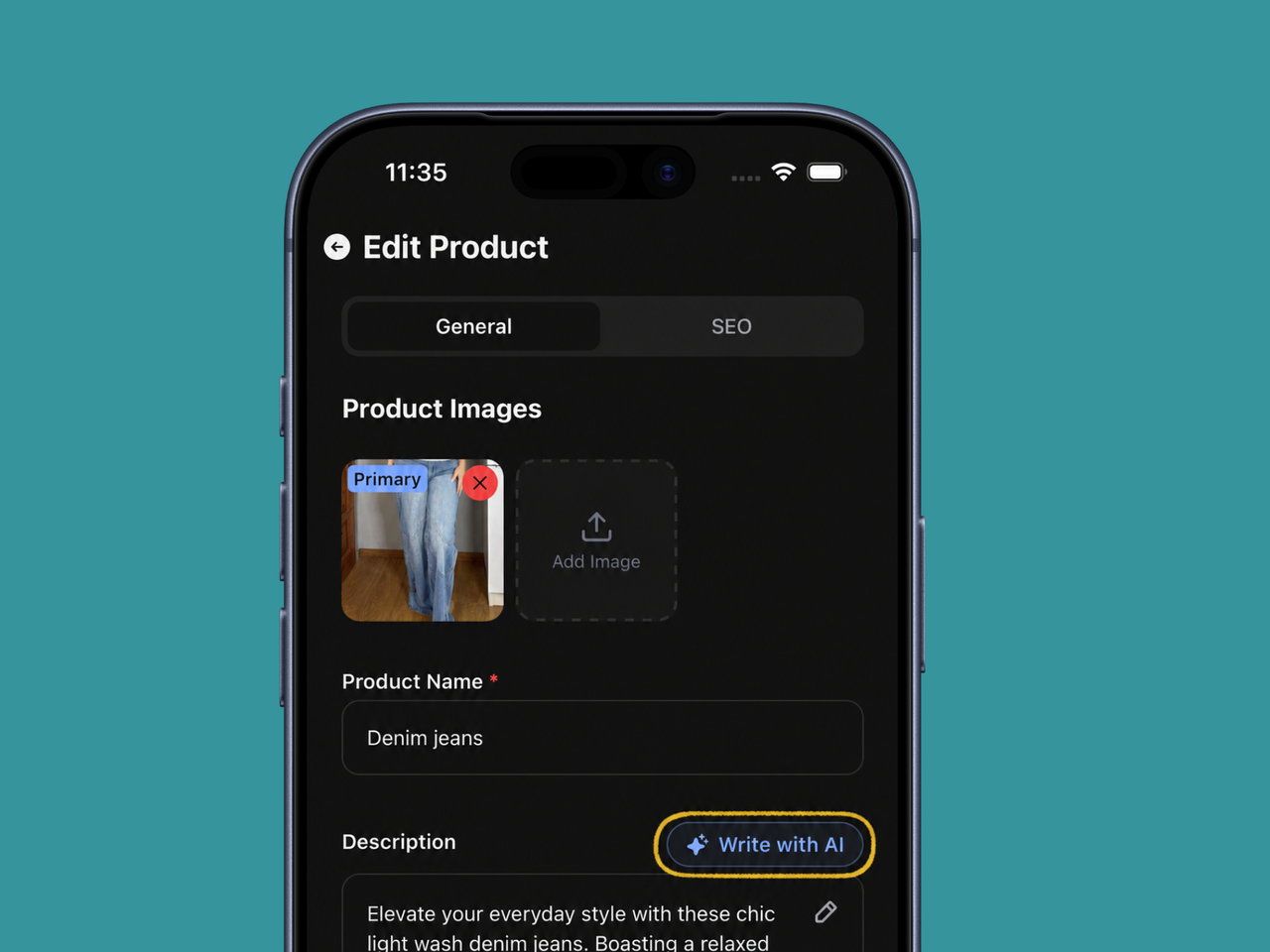
When you add or edit a product, tap "Write with AI" and Strawlo writes a clean, professional description for you.
How it works
- It looks at your product name, price, and photos — yes, it can actually see your images — and writes a description that fits what you're selling.
- You get a polished, ready-to-use paragraph in seconds (kept short and punchy, around 200 words max).
- Don't love it? Edit it, or regenerate for a fresh take. The words are yours to tweak.
It works the same way on both the web dashboard and the iOS app.
Available on Business+.
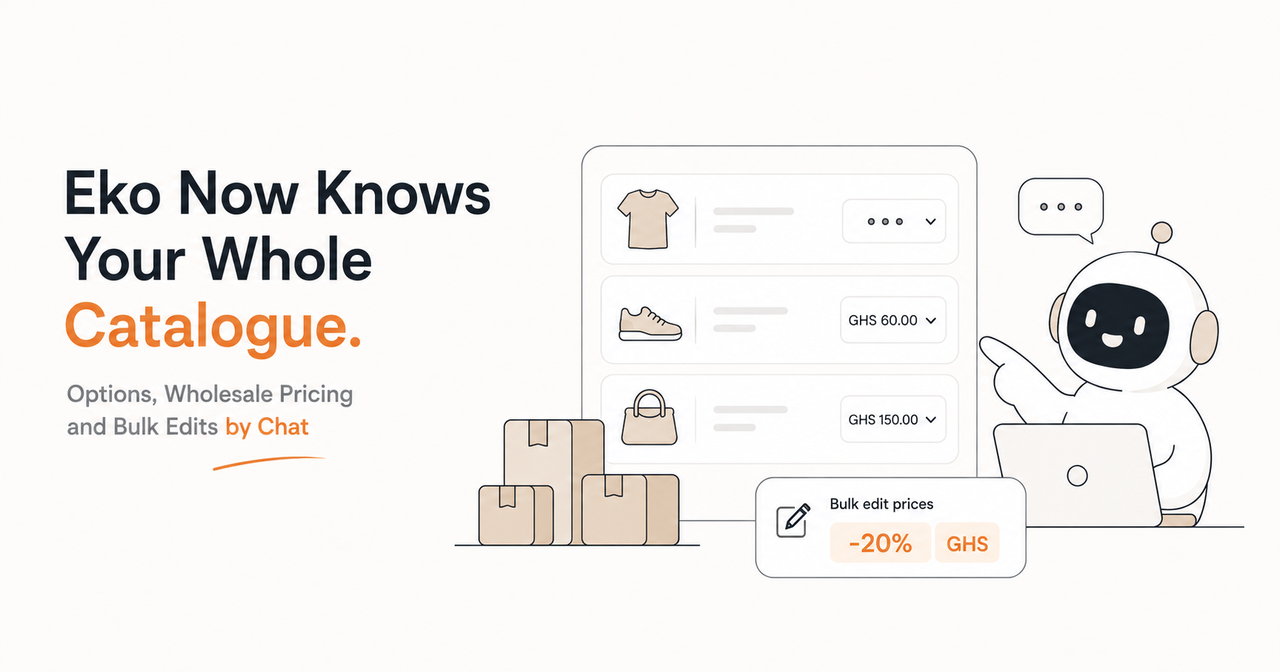
3. Eko Can Now Take Actions For You
Eko, your AI assistant, used to answer questions — "How much did I make today?", "Which products are low on stock?" Now it can actually do the work too.
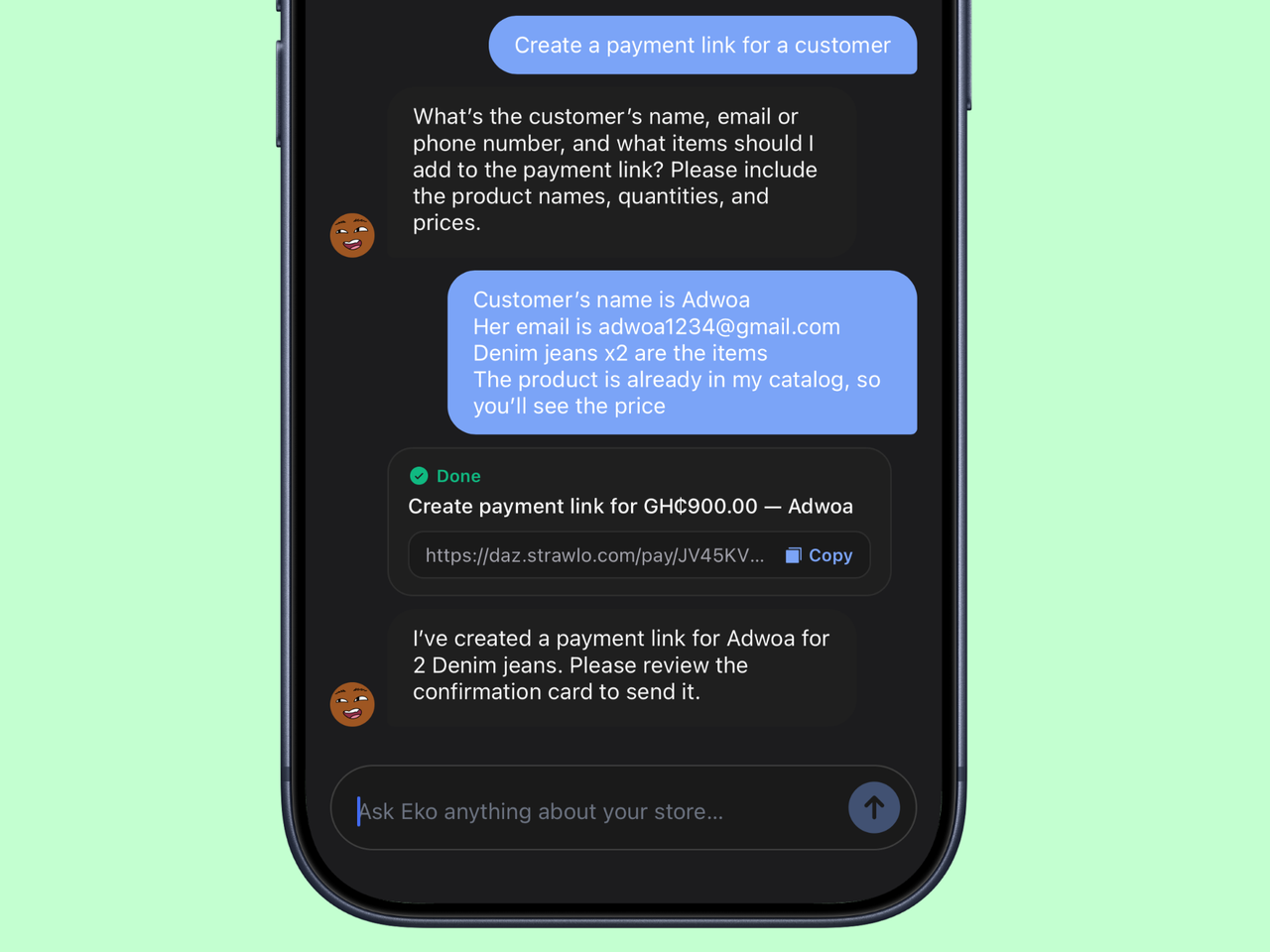
Just tell Eko what you want in plain English, and it gets it done:
You: Set the stock of Denim Jeans to 25
Eko: ✓ Done — Denim Jeans stock is now 25. (Undo)
You: Create a payment link for GH₵150 for Ama
Eko: Here's the payment link, ready to send. (Copy)
Eko can update stock and prices, create payment links and discount codes, change order statuses, draft WhatsApp messages to customers, and even recover those abandoned carts — all from a simple chat.
You're always in control
- Quick changes can be undone — every instant action comes with an Undo button.
- Important actions ask first — payment links, discounts, order changes, and customer messages show you a confirmation card with all the details before anything happens. Nothing goes out without your okay.
- Everything is recorded in your store's action history.
We wrote a whole post on this — read the full Eko update here.
Eko's basic assistant (answers and insights) is on every plan. Eko taking actions is Business+.
4. Live Delivery Tracking for Your Customers
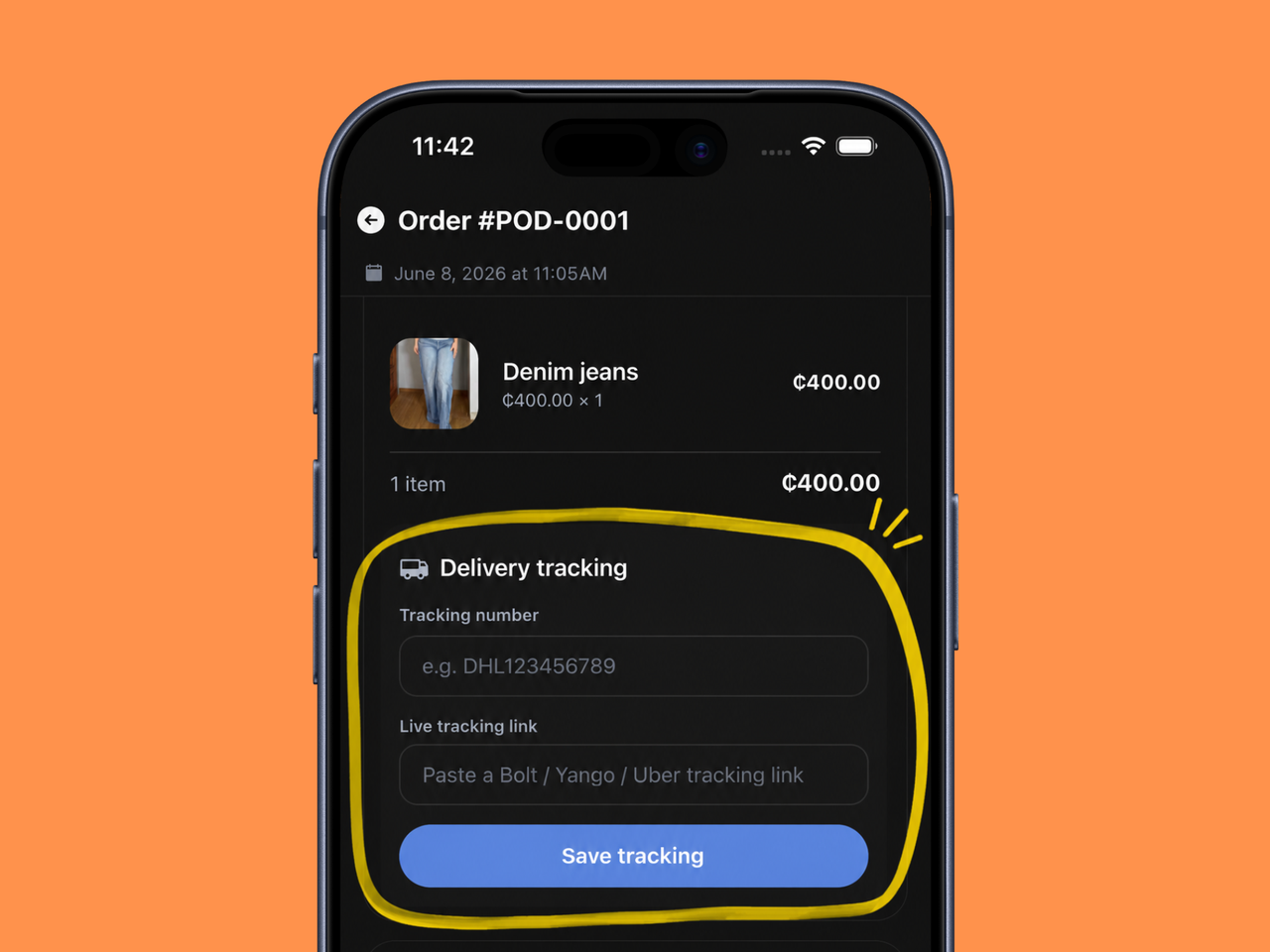
When you dispatch an order, you can now paste in a live tracking link — from Bolt, Yango, Uber, or any delivery service. Your customer then sees a "Track delivery live" button on their order page and can watch their package come to them in real time.
Fewer "where is my order?" messages for you, and a more reassuring experience for them.
5. Cleaner, Simpler Order Numbers
Orders used to have long, random reference codes. Now every order gets a short, clean, counting number — ORD-0001, ORD-0002, and so on (and POD-0001 for pay-on-delivery orders).
Easier to read, easier to say on a call, and easier to search for.
6. Instagram Import Now Fills In the Details
If you bring your products over from Instagram, Strawlo now reads your captions and automatically fills in the product name, price, and description for you — so you're not retyping everything by hand. Just review, adjust if needed, and publish.
7. Share Receipts and Export Your Customers (iOS)
Two handy additions in the app:
- Order receipts as PDF — open any order and share a clean, branded PDF receipt with your customer in a tap.
- Export your customer list — pull all your customer contacts out of the Customers screen to save or share.
8. SEO Tools for Every Product
Want your products to show up on Google? Each product now has its own SEO settings — an editable web address (slug), page title, and description — with a live preview of how it'll look in Google search results. Change a product's link and Strawlo automatically redirects the old one, so you never lose a customer to a broken link.
9. Visitors & Tracking, in One Place
We brought your store's traffic tools together under one roof: Visitors & Tracking. See who's browsing your store — who clicked, who added to cart, who bought — and connect your ad pixels (Meta, Google, TikTok) to measure your campaigns, all from a single, cleaner screen.
Available on Business+.
Get the Latest
Most of these are live right now on the web dashboard. On iPhone, make sure you're on the latest version of the Strawlo app — open the App Store and update if you haven't lately, so you get everything above.
Got a feature you wish we'd build next? We read every message — tell us.
Get weekly business tips
Join 1,000+ entrepreneurs growing their online businesses.
No spam, ever. Unsubscribe anytime.
Related articles
Adding Products Just Got Faster: Snap a Photo, Let AI Fill It In, Done

WhatsApp Broadcast: Message Every Customer You've Ever Sold To